AI Movie Maker

      Turn a script or idea into a finished film. Review each shot, generate the frames, and render the whole sequence.

      Stories made with Veeo.

      Animated worlds, sci-fi adventures, and cinematic suspense. Watch these Veeo stories for a little inspiration before you plan your first shot.

      • Pandora's Last Stand

        Sci-Fi Short · Realistic

      • Snow White: Betrayal and Renewal

        Fairy Tale · Cartoon 3D

      • The Last Tick of Christmas

        Animated Story · Cartoon 3D

      • The Mysterious D.B. Cooper

        Horror Documentary · Realistic

      From script to shots to film.

      Veeo's AI movie generator takes you from text to movie: it plans the shots before it generates anything, so you can shape the story while it is still simple to change.

      1. Start with the story

        Paste a script or describe the idea. Veeo turns your text into a movie plan and a shot list.

      2. Review the plan and cast

        Rewrite each shot, add or remove shots, and check the characters, locations, and props with their reference images.

      3. Generate frames and clips

        Create image candidates for a shot, pick the take you want, then turn it into a video clip with the camera move you planned.

      4. Score, render, download

        Clips carry their own sound. Add music for the full sequence, render the film, and download it or individual shots.

      Plan first. Generate with intent.

      A shot list you can shape, a cast you define, and a clear finish line. That is the difference between an AI video clip and a film. This movie maker AI plans before it renders.

      A shot list you can shape.

      Each shot gets its own description and settings. Rewrite it, add a shot, or remove one while the plan is still a plan.

      WideRain-soaked alley at night, a single lit door at the far end.
      MediumThe detective steps out of a cab, collar up, and looks toward the light.
      CloseHis hand pushes the door open. A warm glow spills across his face.
      A cast you define.

      Create characters, locations, and props with reference images, then attach them to the shots where they appear. References guide the look, but they do not guarantee identical faces or details.

      Character

      Location

      Prop

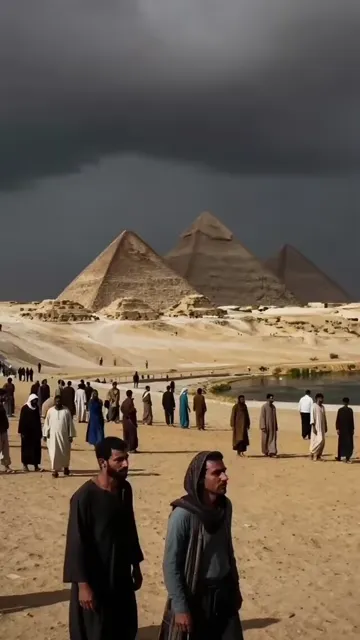
      A cinematic frame from a Veeo story

      Frames before motion.

      Generate image candidates for a shot and keep the take you like. The chosen frame becomes the starting point for the clip.

      Make more than a beautiful clip.

      As an AI movie creator, Veeo gives each shot a job in the story you want to tell.

      Short films and story scenes
      Plan an opening, a turning point, or a final reveal. Build the shots in one plan and render the sequence as a short film. Veeo doubles as an AI short film generator.
      Movie trailers and teasers
      Use it as an AI movie trailer generator: pick the strongest beats, generate the shots, and render a teaser before the full production.
      Previsualization and pitches
      Show collaborators the planned shots and a moving version of the scene before you commit to a shoot.
      Brand stories
      Plan a cinematic product story shot by shot, from the establishing frame to the closing moment.

      Before your first shot.

      What to expect from Veeo's AI movie maker.

      See plans and credits
      What does Veeo's AI movie maker produce?

      A finished film sequence: Veeo plans the shots, you generate an image and then a clip for each shot, render the whole sequence, and download it.

      Do I need a finished script?

      No. A short idea works. A full script gives the planner more to work with. Either way, you review and edit the shot list before any frames are generated.

      Can I keep characters and locations consistent?

      Yes. Create characters, locations, and props with reference images, then attach them to the shots where they appear. References help guide each generation, but they do not guarantee identical faces or details.

      Can I change the plan before frames are generated?

      Yes. Rewrite the shot descriptions, add or remove shots, choose the aspect ratio, and check the cast references. Frames are generated only after you confirm the plan.

      How long can the finished video be?

      It is built for complete pieces: short films, promos, ads, and longer stories. The plan caps the number of shots, and each clip runs for the duration supported by the video model you choose.

      What about sound and music?

      Video clips generate audio with the picture. You can also generate or upload music for the full sequence, then render the film with both.

      Who owns the videos I create?

      You do. You own full rights to the videos you create.

      How much does it cost to make a film?

      Planning and each frame or clip use credits. See the Pricing page for current plans and allowances.

      Your film starts with one idea.

      Describe the story. Review the shots. Keep the frames that make you want to see what happens next.