AI Commercial Video Maker

      Describe the product and mood, review the planned shots, then generate frames and render a complete commercial.

      A commercial made with Veeo.

      Explore a Veeo brand ad, then plan a commercial around your own product.

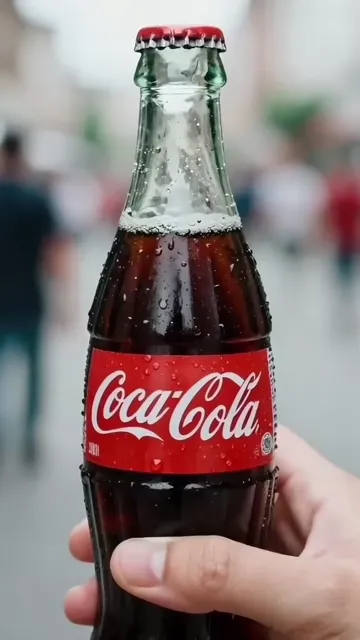
      • Coca-Cola: Open to Joy

        Creative Ads · Realistic

      From a product brief to a storyboard to a commercial.

      Move from a product brief to reviewed shots, generated clips, and a rendered commercial.

      1. Describe the product and mood.

        Share what the product is and the feeling you want the commercial to leave. Veeo turns the brief into a shot list.

      2. Review the plan and cast.

        Rewrite, add, or remove shots. Attach a prop reference for the product, plus character or location references where needed.

      3. Generate frames and clips.

        Create image candidates for each shot, choose a frame, then animate it with the planned camera move.

      4. Score, render, download.

        Clips include audio. Add music, render the commercial, and download the full video or individual shots.

      Plan first. Generate with intent.

      Shape the product story while it is still a shot list, then generate each scene from a frame you have reviewed.

      A shot list you can shape.

      Give every shot a purpose in the product story. Rewrite it, add a moment, or remove a shot before you generate frames.

      OpenA clean product close-up in warm morning light.
      In useA hand reaches for the product on a quiet kitchen counter.
      EndThe product settles into a simple, memorable final frame.
      Product and scene references.

      Add product imagery as a prop reference, then attach character, location, or prop references to shots.

      Product prop

      Location

      Character

      A sample frame from a Veeo storyboard video

      Frames before motion.

      Generate image candidates for a shot and keep the take you like. That frame becomes the starting point for its clip.

      Made for complete commercials.

      Plan the shots that give a product or brand story a clear beginning, middle, and finish.

      Product promos
      Plan a product story shot by shot, from its first reveal to the closing frame.
      Brand films
      Build a cinematic brand story around a mood, a place, and a product.
      Complete ad films
      Render a full commercial sequence from a storyboard you can review and shape.
      Teasers and trailers
      Select the strongest beats and render them as a focused teaser.

      Before you make a commercial.

      What to expect from Veeo’s AI commercial video maker.

      See plans and credits
      What does Veeo's AI commercial video maker produce?

      Veeo creates a storyboard of shots. Generate an image and a video clip for each shot, render the sequence, and download the commercial.

      Can I make a complete commercial?

      Yes. Plan the shots and render a complete commercial with Veeo. Veeo does not buy or place ads, and it does not promise advertising results.

      Do I need a finished script?

      No. A product brief with the product and desired mood is enough to start. A complete script gives the planner more context.

      Can I keep the product consistent?

      Add product imagery to a prop reference and attach it to shots where the product appears. References guide its look, but cannot guarantee identical details in every frame.

      Can I edit the shots before generating?

      Yes. Rewrite, add, or remove shots and review references before generating frames.

      What about sound and music?

      Generated clips include audio. Add music for the full sequence, then render the commercial with both.

      Who owns the videos I create?

      You do. You own full rights to the videos you create.

      How much does it cost?

      The storyboard plan and each generated frame or clip use credits. See the Pricing page for current plans and credit allowances.

      Your commercial starts with one idea.

      Describe the product and the feeling you want to create. Veeo will help you shape the shots before you generate.