AI Animation Video Generator

      First Frame
      References
      0/5000
      5s
      5s15s

      Examples of animated video

      Three animation directions, one field, no rigging.

      From an idea to an animated scene.

      Describe the scene and the style, then generate one shot at a time.

      1. 01

        Describe the scene and style.

        Name the characters, the setting, and the look: 3D, flat, hand-drawn, or illustrated. The description guides the style.

      2. 02

        Set the format.

        Pick a model, clip length, and resolution, then choose an aspect ratio from the list that model supports.

      3. 03

        Add a reference image.

        Use a first frame to animate an illustration, or a reference image to guide a character with a supported model.

      4. 04

        Generate and refine.

        Review the take in Media, download it, or adjust the prompt and generate another version.

      AI animation video generator features

      The style lives in your prompt. Describe it clearly, and add images when you need a fixed starting frame.

      How to describe an animation style

      Name the style, the character, and the camera in one prompt. A specific description produces a more consistent result than a broad one.

      StorybookAn animated storybook scene with a curious fox, soft painted style, slow camera drift.
      FlatA flat illustration of a city street, bold shapes, limited colors, gentle motion.
      3DA rounded 3D character waves from a sunny park, soft shadows, playful motion.
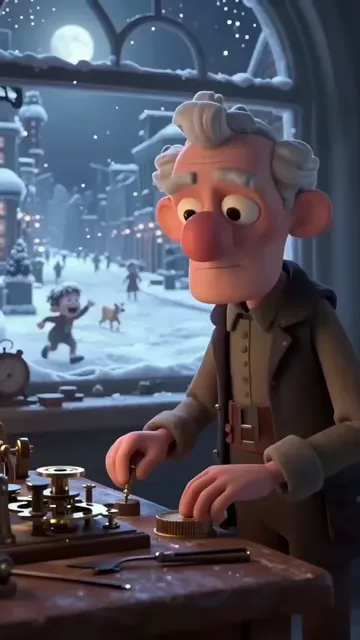
      A sample frame from AI Animation Video Generator

      Animate a still frame.

      Add an illustration or photo as the first frame and describe the motion. The clip starts from that image.

      Keeping a character consistent

      Reuse the same reference image and description across shots. References guide the look but do not lock every detail, so review each take.

      Where animation helps.

      Animated stories, explainers, and promos.

      Animated stories
      Build a scene from a written idea, one shot at a time.
      Animated explainers
      Show a process or a product in a clear illustrated style.
      Character moments
      Keep a character on-model across a few clips with references.
      Stylized promos
      Give a short promo a playful or illustrated look.